Server settings
Four settings, all per server, all requiring the Manage Server permission. Replies are private.
Response language
/setup language language:English
/setup language language:Polski
Sets the language of everything the bot says on that server — embeds, image card labels and error messages alike.
If you never set a language, the bot follows your Discord server's own language setting, and falls back to English.
/setlang still works
The language used to live in its own /setlang command. It moved under /setup with the other
server settings; the old command still works and does exactly the same thing.
Note
Command names and option names are always English — they are the identifiers Discord itself uses. The command descriptions you see in the Discord command picker follow your own Discord client language, not the server's choice. Only the bot's replies follow the setting.
Image card theme
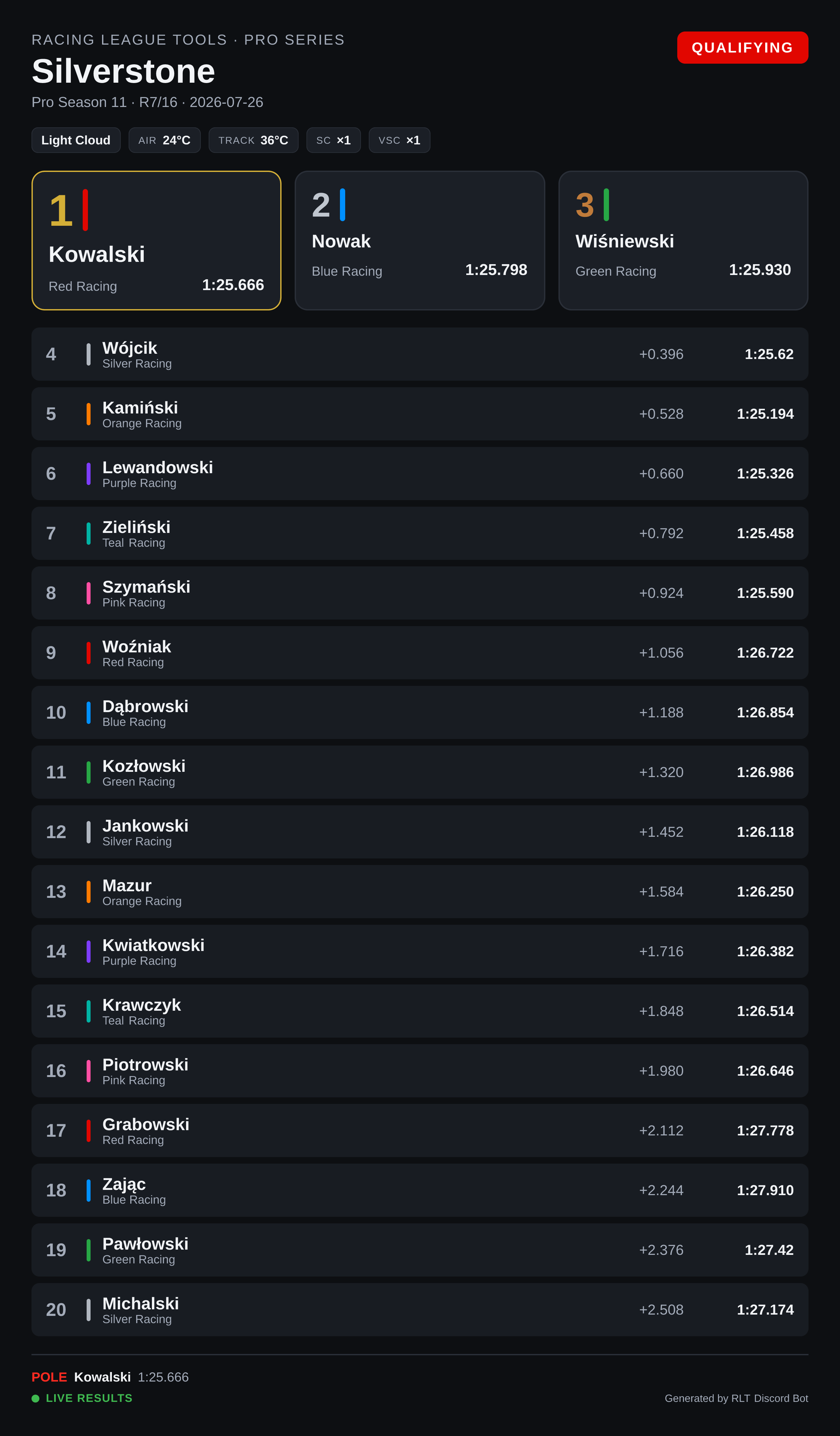
/setup theme name:Dark
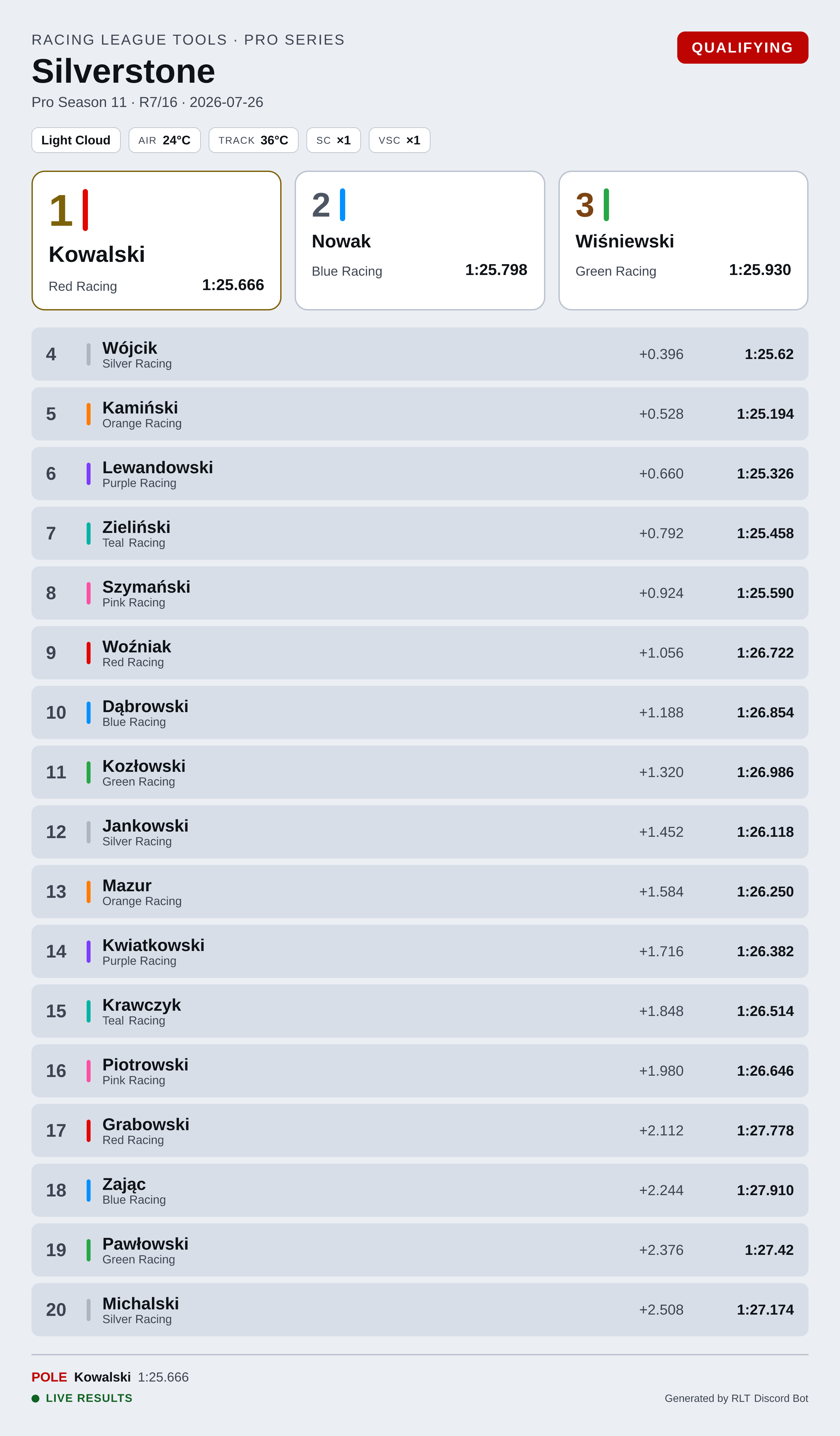
/setup theme name:Light
Picks the colour theme for the image cards. Dark is the default. Light has noticeably more readable small text, because Discord scales image previews down to a fixed width and small grey labels on a dark card suffer for it.
Run any /render-… command afterwards to see the change.
League time zone
/setup timezone zone:Europe/Warsaw
/setup timezone
Racing League Tools timestamps everything in UTC, and your league almost certainly does not race
in UTC. This setting says which zone the bot should show times in. Run it without zone to see the
current setting.
Use an IANA zone name — Europe/Warsaw, America/Sao_Paulo, Pacific/Auckland — and start
typing to get suggestions. The name matters rather than a fixed offset like UTC+2, because a zone
knows when summer time starts and ends; a fixed offset does not, and would be an hour wrong for half
the season.
What it covers:
| Follows the setting | |
|---|---|
| Image cards — calendar, session cards | yes |
Plain dates in embeds — /season view:Full calendar, result footers |
yes |
Discord's live timestamps — /season view:Upcoming |
no, and on purpose |
The live timestamps are the exception by design. A Discord timestamp carries a moment, and each reader's client draws it in their own zone: your 21:00 is 23:00 for a driver two zones east, and it is the same start. Forcing one league zone there would make that worse, not better.
Without this setting the bot shows times exactly as RLT sends them — UTC.
Dates shift too, not only clock times
A round at 19:00 UTC is the next day in Pacific/Auckland. The bot converts the date along
with the time, so the calendar card shows the day the league actually races on.
A season that crosses a clock change
The calendar card names the offset in its header only when one offset covers the whole season. A season running across the October change has two, so the header names the zone alone — one number there would be wrong for half the rounds.
Archived seasons in autocomplete
/setup show_archived_seasons enabled:false
Every command with a season option suggests your league's seasons as you type. In a league with a
long history that list is mostly archive, which makes finding the current season tedious. Turning
this off leaves only active seasons in the suggestions.
Two things it deliberately does not do:
- It does not block access. An archived season still works if its ID is entered directly — this is a display preference, not a restriction.
- It never leaves you with an empty list. If your league has no active season at all, the full list comes back, because empty suggestions read as "the bot can't see my league".
Archived seasons are suggested by default.
Tip
You can also just type to filter. Entering archive narrows the suggestions to archived seasons
(or archiwum when the bot is set to Polish).